Melody Leap Color Quest
Reviews
Melody Leap Color Quest offers a refreshing take on the platforming genre by focusing on relaxation rather than speed or combat. The core mechanic of restoring color to a monochrome world is visually satisfying and provides a clear sense of progress. The gradual difficulty curve ensures players can improve at their own pace, while the rhythmic bouncing creates a meditative flow. It is a well-designed, family-friendly game that prioritizes precision and patience over frantic action, making it a perfect choice for a short, calming play session.
Description
Core Gameplay Loop
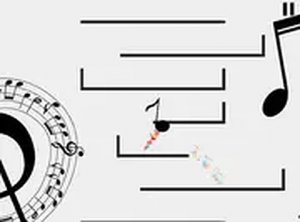
At its heart, Melody Leap Color Quest is a platforming experience where the player controls a musical note character. The objective is to move from one platform to the next, each successful landing adding a burst of color to the otherwise monochrome world. The game relies on a simple control scheme: players use keyboard arrows or mouse clicks to direct the note's horizontal movement, while the note automatically jumps upon landing. This creates a flow where the player's main focus is on timing and positioning, rather than complex button combinations.
Visual Transformation System
The most distinctive feature is the gradual color reveal. The game starts in a completely grayscale environment. As the player progresses, each platform landing paints a small area around it, slowly building a vibrant, colorful landscape. This mechanic serves as both a reward system and a visual indicator of progress, turning each completed section into a unique piece of art. The transformation is not just cosmetic; it provides a clear sense of accomplishment and encourages continued play.
Rhythm and Timing Mechanics
While not a traditional rhythm game with a beat map, Melody Leap Color Quest incorporates a sense of musical timing. The note character bounces with a gentle, rhythmic motion, and the platforms are often spaced in a way that encourages a steady, predictable cadence. Players who find a consistent rhythm often perform better, as it helps with judging jump distances and landing accuracy. This subtle integration of music and movement makes the gameplay feel more fluid and satisfying.
Platform Layout and Difficulty Curve
The game's challenge comes from its platform design. Early stages feature large, closely spaced platforms that are easy to land on. As players advance, platforms become smaller and gaps between them widen, requiring more precise control. The difficulty increases gradually, allowing players to build their skills without sudden, frustrating spikes. There are no enemies or time limits, so the only pressure comes from the need for accuracy, making it a stress-free experience suitable for all ages.
Audio and Visual Feedback
Each successful landing is accompanied by a pleasant audio cue and a visual burst of color. This immediate feedback loop is crucial for maintaining player engagement. The sound design is clean and non-intrusive, complementing the relaxed atmosphere. The visual style is simple but charming, with the gradual addition of color creating a satisfying sense of progress. The combination of audio and visual rewards makes each bounce feel meaningful.
Accessibility and Control Options
The game is designed with accessibility in mind. It supports both keyboard (arrow keys) and mouse (click to move) input, allowing players to choose the control method that feels most comfortable. The full-screen mode provides an immersive experience, and the simple controls mean there is a low barrier to entry. This makes the game a good choice for younger players or those new to platforming games, while still offering enough challenge for experienced players seeking a relaxing experience.



Comments
0 comments