Classic Road Tour Driving Game
Driving Simulation 3D Vehicle Casual Relaxing
Classic Road Tour Driving Game
105
Developer: Symbolfall Studios
Published: 1773072000
Updated: 2026-07-30

Reviews

Classic Road Tour Driving Game delivers exactly what its name promises: a peaceful, no-stress driving experience. The 3D graphics are surprisingly detailed for a browser title, and the controls feel responsive without being twitchy. The absence of timers or goals is refreshing, allowing players to simply enjoy the scenery. It is an excellent choice for anyone seeking a calm digital escape.

Description

Atmosphere and Visual Design

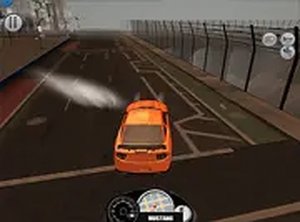
The game creates a tranquil setting where the main focus is the road ahead. Detailed 3D graphics render the vehicle and surrounding landscapes with care, making each drive feel immersive. The environment includes winding paths and straight highways, providing variety without overwhelming the player. Lighting and textures contribute to a realistic look that enhances the sense of being behind the wheel of a vintage automobile.

Controls and Handling

Keyboard inputs manage acceleration, braking, and steering. The controls are tuned for smooth operation, allowing gentle turns and gradual speed changes. This design makes the experience accessible to newcomers while still offering enough precision for those who enjoy fine-tuning their driving line. Full-screen mode is available to deepen the visual connection to the road.

Freedom from Pressure

There are no timers, scores, or competitive elements. Players set their own pace, choosing when to speed up or slow down. This structure removes common gaming stressors, making it suitable for short breaks or longer relaxation sessions. The lack of objectives means every trip is unique, driven purely by personal preference.

Accessibility and Platform

As a browser-based title, it requires no downloads or installations. A desktop computer with a keyboard is all that is needed to start driving. The game loads quickly and runs without complex menus, letting players begin their journey almost instantly. This straightforward approach ensures that anyone can enjoy the simulation without technical hurdles.


✅ Compatibility & Testing

• Desktop (Windows 11, macOS Ventura)
• Mobile (iPhone 14, Samsung Galaxy S23)
• Tablet (iPad Pro, Android tablet)
✅Supported browsers: Chrome, Safari, Edge, Firefox (latest versions)
❌ Not supported: Internet Explorer, older browser versions

Faq

Can I play Classic Road Tour Driving Game on a mobile device?
The game is optimized for desktop computers and requires a keyboard for control. It may not function properly on mobile devices or tablets, as touch inputs are not supported. For the best experience, use a laptop or desktop system.
Does the game include different car models to choose from?
Based on the available information, the simulation features a single classic vehicle. The focus is on the driving experience itself rather than offering a selection of cars. Players can enjoy mastering the handling of this particular automobile.
Is there any music or sound effects in the game?
The game description does not specify audio features. Many similar simulations include engine sounds and ambient noise, but this may vary. Players should check the game directly for details on sound design.
How long does a typical driving session last?
Since there are no objectives or timers, session length is entirely up to the player. Some may enjoy a quick five-minute drive, while others might spend longer exploring the roads. The game supports both short and extended play sessions.
Are there any in-game purchases or ads?
The game is described as free to play in the browser. It does not mention any microtransactions or premium features. However, players should verify the current state of the game, as policies can change over time.
Can I adjust the graphics quality for better performance?
The available information does not specify graphics settings. Browser-based games often run at a fixed quality level to ensure compatibility. If performance issues arise, closing other browser tabs or updating your graphics drivers may help.

Comments

0 comments
U
User
Loading comments...