Tactical Commander: Medieval Strategy
Reviews
Tactical Commander offers a satisfying strategy experience for players who enjoy quick sessions. The army composition system encourages thoughtful planning, and the campaign levels provide steady challenge. It runs smoothly on both desktop and mobile browsers, making it easy to play anywhere. A great choice for fans of tactical thinking.
Description
Game Introduction
Tactical Commander: Medieval Strategy is a free online game that places you in command of a medieval army. Set in a historical fantasy setting, the core objective is to lead your forces to victory by making tactical decisions. The game focuses on army composition and adapting to enemy formations, offering quick sessions ideal for players who enjoy strategic thinking without a long time commitment. It is available on desktop and mobile browsers, providing a straightforward way to test your strategic skills.
How to Play
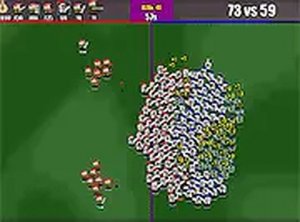
To play, you start by selecting your army from available units. Consider each unit's role, such as infantry or cavalry, to build a balanced force. Once ready, press the fight button to begin the battle. Your goal is to defeat as many enemy soldiers as possible to earn points. Each campaign presents new challenges, so you may need to adjust your army composition. The controls are simple, and the game runs smoothly in full screen mode for a better view.
Game Features
Features include a medieval strategy setting with army selection and point scoring. The game includes campaign conquest across multiple levels. No download is required, and it is playable on both desktop and mobile browsers. Full screen mode provides an immersive experience. The game is designed for quick sessions, making it ideal for players who enjoy tactical thinking without a long time commitment.
Tips for Success
To succeed, focus on building a balanced army that can handle different enemy formations. Pay attention to each unit's strengths and weaknesses, and adjust your composition based on the challenges you face. Practice regularly to improve your tactical decision-making. Use full screen mode for better visibility. Learning from each battle will help you refine your strategy and earn higher scores.