Sprunki 1996 Retro Music Maker
Review
Sprunki 1996 Retro Music Maker captures the essence of 90s digital creativity with its pixel-art interface and chiptune sounds. The drag-and-drop controls are intuitive, and the Horror mode adds a nice twist. It is a relaxing, creative experience perfect for music lovers and retro enthusiasts alike.
Full story
Game Introduction
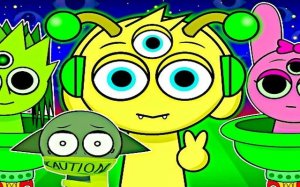
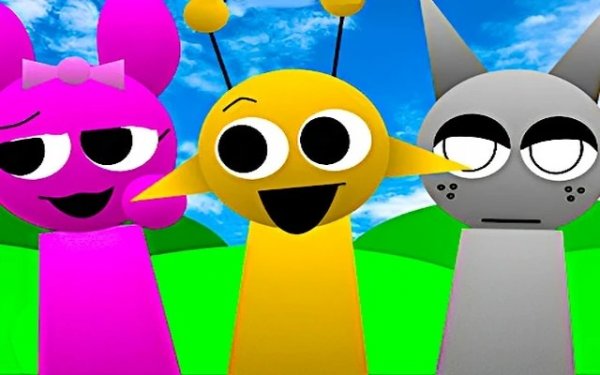
Sprunki 1996 Retro Music Maker is a browser-based music creation game that recreates the feel of early digital audio tools from the 1990s. Designed for a single player, this online experience uses a pixel-art interface inspired by old computer programs. Players can create layered remixes by dragging characters onto a chorus area. Each character adds a distinct sound to the mix, allowing for experimentation and creativity. The game offers a nostalgic trip for those who remember the early digital age, while remaining accessible to new players who enjoy creative play. The combination of retro graphics, chiptune-style audio, and simple drag-and-drop controls makes it a distinct music tool for fun and relaxation.
How to Play
To start, players click a green flag to open the game. The main screen shows retro-styled characters in the top left corner. Using a mouse on a computer or touch on a mobile device, players drag any character onto the chorus area. Each character adds a different sound to the mix. Players can mute or solo individual characters using buttons on each one. To reset the melody and characters, they press a loop button. For a different experience, players can drag a black square button into the chorus to switch to Horror mode. To return to the default mode, they click a pray button. Experimenting freely with combinations allows players to create their own music.
Game Features
The game features VHS-style graphics and 90s retro designs. All sounds and animations match the vintage theme. Characters are drawn in pixel art. The interface uses bright colors and blocky fonts typical of early computer screens. Controls are responsive on both mouse and touch devices. The Horror mode adds a darker sound palette and visual changes. The loop button lets players start fresh at any time. The mute and solo options give control over each sound layer. The game runs entirely in the browser without downloads.
Tips for Success
To get the most out of Sprunki 1996 Retro Music Maker, start by dragging one character at a time to understand its sound. Then gradually add more to build a layered composition. Use the mute and solo buttons to isolate specific tracks and fine-tune your mix. Experiment with different combinations, as there are no wrong choices. If you get stuck, use the loop button to reset and start again. Try the Horror mode for a different mood and sound palette. Most importantly, have fun and let your creativity guide you.